
OCR It
Pin a region once. Hit a hotkey on every page. Get the whole book as text.
- Chrome 116+
- Firefox 140+
- 100% offline OCR
- No site access at install
- MIT
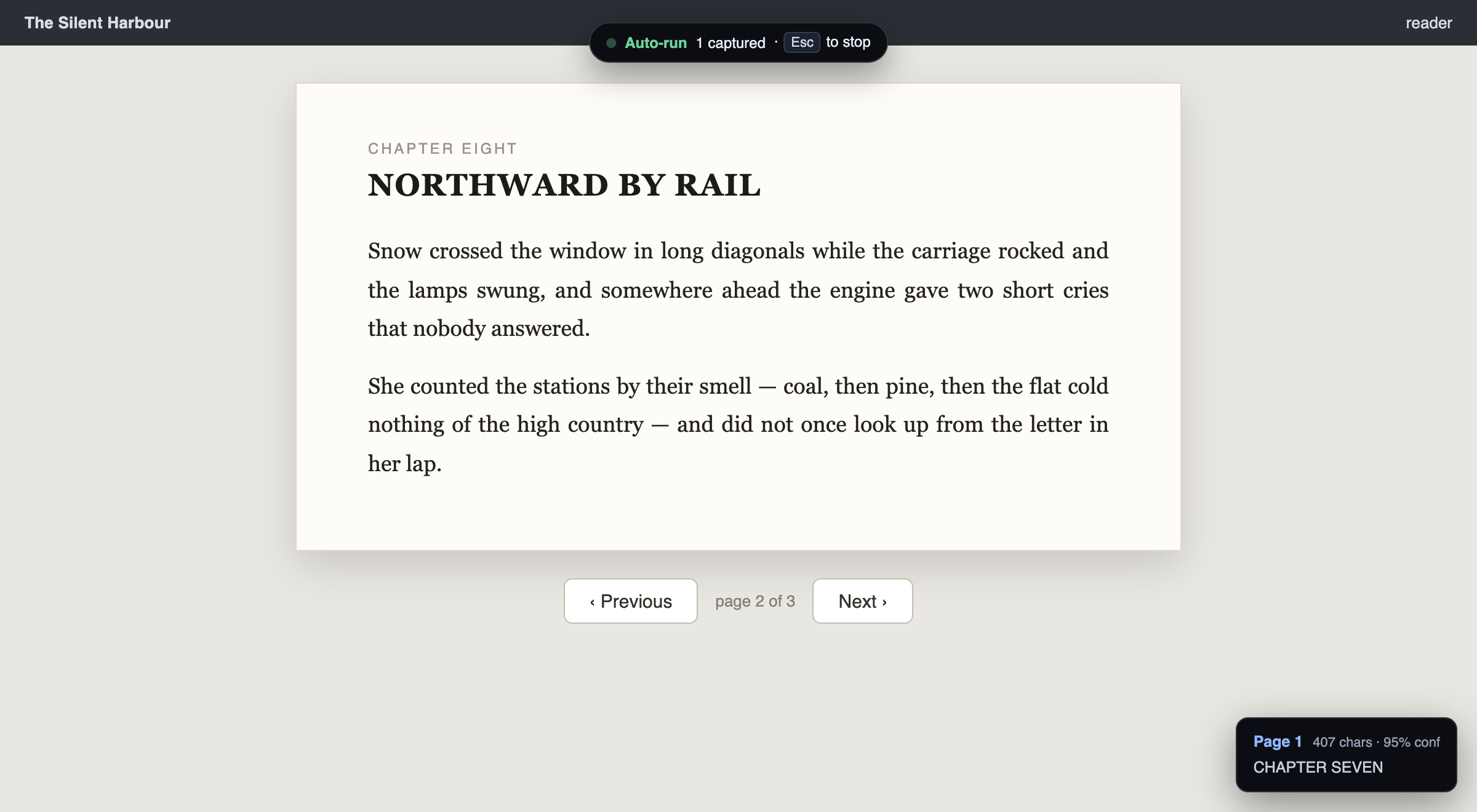
For documents you can look at but not copy
A scanned book. A slide deck. A PDF. Any reader that renders text as pixels and won't let you select it. Copy-paste gives you nothing, and retyping a few hundred pages is not a plan.
OCR It reads the pixels instead. You drag out the capture region once. After that, every press of the hotkey screenshots that exact rectangle, recognises the text, and appends it to a running transcript — so page 200 lands in the same file as page 1, in order.
Then paste the result wherever it's useful. An LLM is the obvious one: a few hundred pages you couldn't select are now a text file you can hand to Claude or ChatGPT to summarise, search, or ask questions about.
Three steps
Step 1
Pin the region
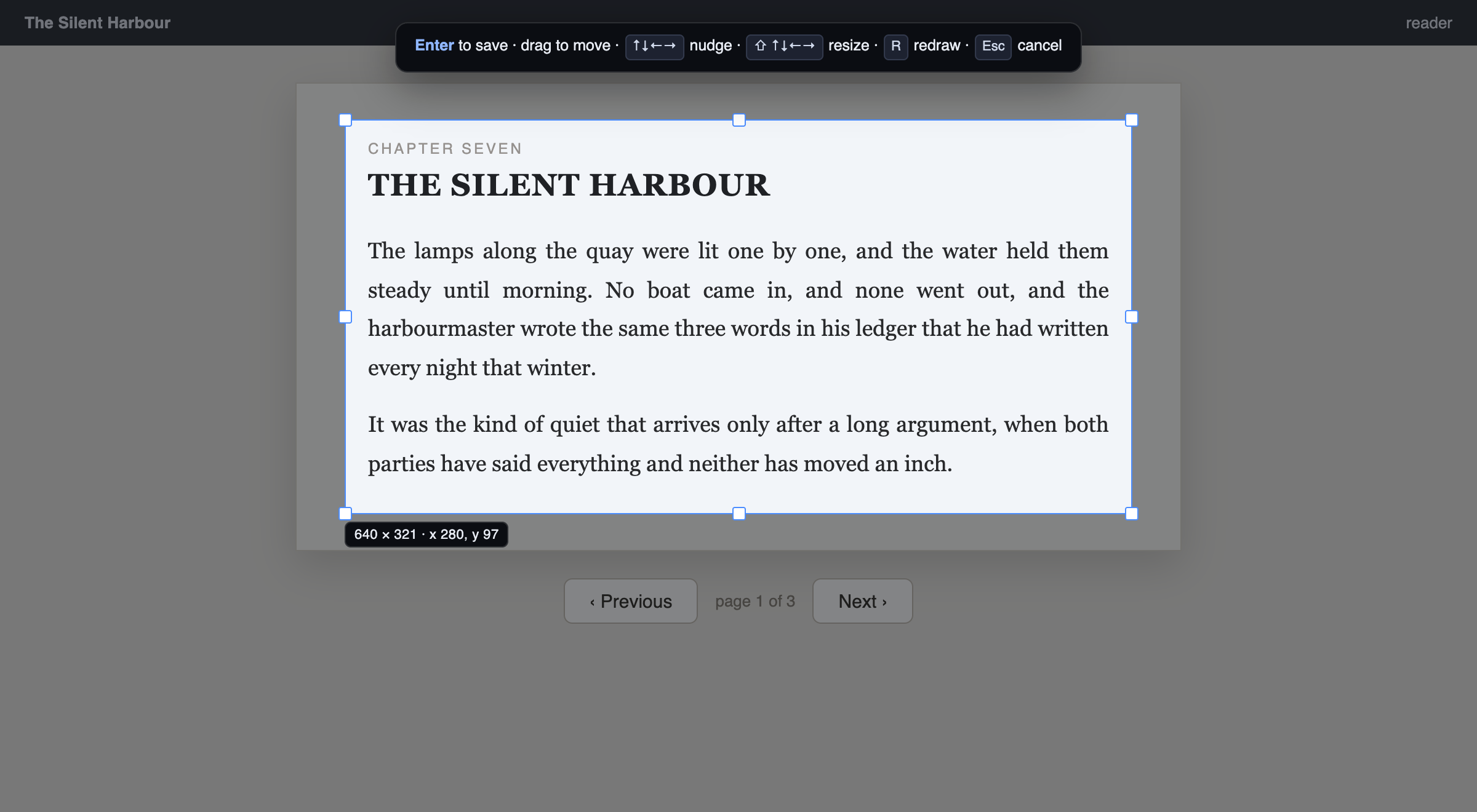
⌥⇧R dims the page and hands you a selection box. Drag it, pull the handles, or nudge it a pixel at a time with the arrow keys. Draw a little inside the text margins — everything in the rectangle gets read, page numbers and running headers included.
Step 2
Capture
⌥⇧S, once per page. The screenshot is taken immediately and the recognition runs in the background, so you never wait between pages — captures queue up and the toolbar badge counts what's still being read.
Step 3
Or hand over the whole job
Point the extension at the viewer's next-page button and ⌥⇧A takes over: capture, turn, capture, turn, until the document ends. It stops itself when the text stops changing, when a page can't be turned, or at a page cap you set — and it says which of those happened, so a run you walked away from never just mysteriously stops. Esc on the page ends it early.
What gets stored is a point on screen, not a CSS selector. That survives the DOM re-renders that routinely break a selector, and it reaches two places a selector cannot: inside a cross-origin iframe — which most embedded readers are — and through an open shadow root.
Check the read, fix it, export it
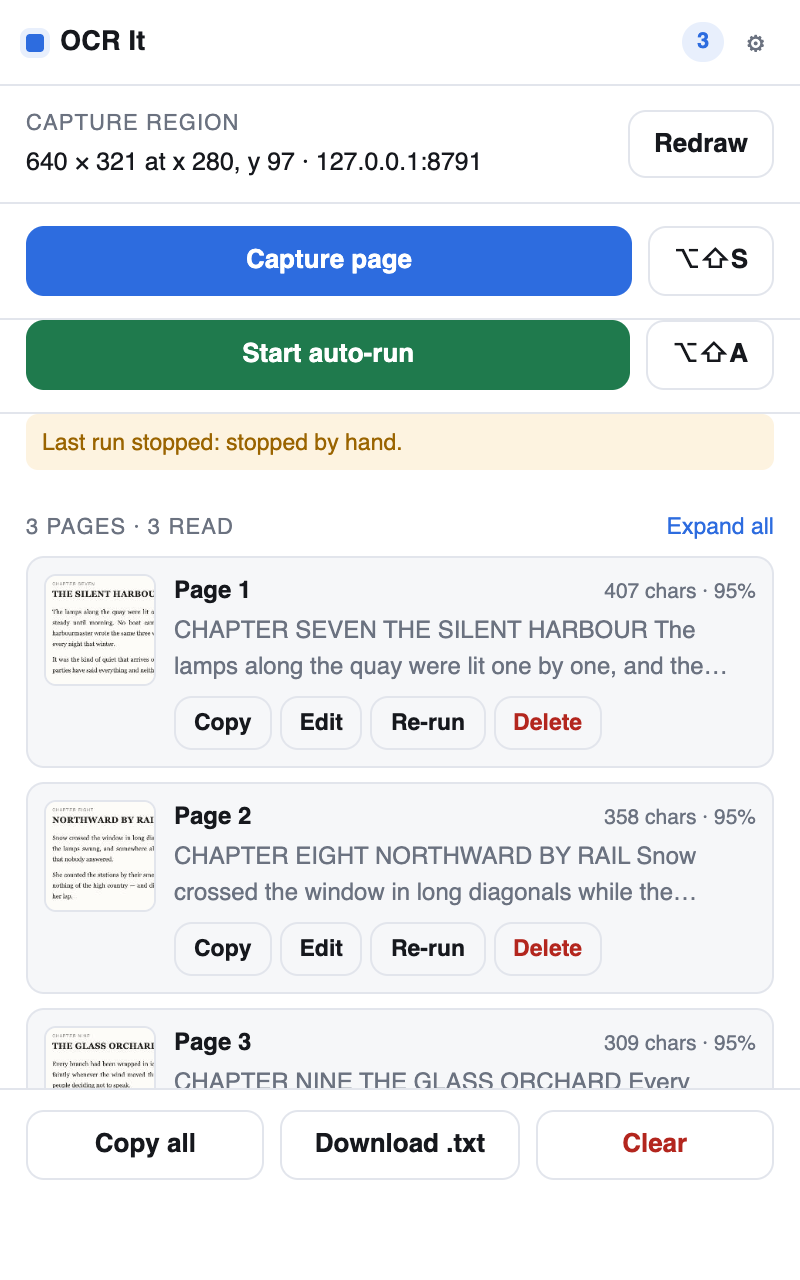
Every page is listed with a thumbnail of exactly what was cropped, so a drifted region is obvious at a glance instead of eighty pages later.
Text is editable in place, and a bad read can be re-run on its own. A page
whose text is identical to the one before it is flagged
DUPLICATE — nearly always because the document didn't actually
turn.
Copy all and Download .txt emit the pages
in order with --- page N --- separators.
Nothing leaves your machine
Recognition runs locally, on a Tesseract build bundled inside the extension package. The extension makes no outbound requests at all — no API key, no account, no server, no analytics, no telemetry, no crash reporting, and no remote code. Verified, not assumed: with every external destination black-holed through a logging proxy, a full capture-and-recognise run still completed correctly.
It also asks for no site access when you install it. A single
capture rides on activeTab, which the browser hands over only when
you press the hotkey or open the popup. Two things need a durable grant — a run
that outlives a page load, and turning pages inside a cross-origin iframe — and
the popup offers an Allow button for the site you're on, when
it matters.
Your transcript, thumbnails and settings live in the browser's local storage on your own computer. Clear in the popup deletes all of it; removing the extension deletes everything it ever stored. See the privacy policy for the specifics.
Install
It is in both stores. One click, and it updates itself.
Chrome 116+ — Chrome Web Store.
Afterwards check chrome://extensions/shortcuts: Chrome silently
leaves a hotkey blank when something else already claims it.
Firefox 140+ — Firefox Add-ons. Firefox has no navigable shortcut editor, so to change the hotkeys go to about:addons → gear icon → Manage Extension Shortcuts.
To build it from source instead — everything it needs is committed, so there is no real build step:
git clone https://github.com/thiagotigaz/ocr-it.git
cd ocr-it
npm run build # -> build/chrome, build/firefox| Shortcut | Does |
|---|---|
| ⌥⇧S | Capture the region once |
| ⌥⇧A | Start / stop an automatic run |
| ⌥⇧R | Draw or redraw the region |
Details worth knowing
Languages. English, Portuguese and Spanish ship with it. Any of Tesseract's other ~100 languages can be vendored in — nothing is ever fetched at runtime, so the model has to be inside the package.
PDFs. Chrome's built-in viewer works — draw the region over the page area and turn pages with your own PageDown. Automatic page-turning does not work there: the viewer is a plugin no extension can inject into.
Zoom. The region is a rectangle on your screen, so resizing the window or changing zoom mid-run moves the document out from under it. Set up once, then leave the window alone.